A Checklist for Rolling Out New Technology in Residential Communities
For residents, a new platform should feel like a step forward, not a disruption. Every community has its own layout, its own mix of residents and its own rhythms. A successful rollout respects those differences and makes sure community life carries on uninterrupted.

A new resident app and operations platform can have features that work perfectly for one community and need a slightly different approach at the next. A smooth rollout comes down to planning, clear ownership of the project, a good understanding of each community’s needs and bringing teams and residents into the conversation early.
This checklist walks through the decisions that make a site rollout smooth, starting with the two that shape everything else: how involved you want to be, and who you are trusting to deliver it.
1. Decide how lean or involved you want to be
Before you choose a platform or set a launch date, decide how much of the rollout you want to carry.
Ask yourself:
- Which decisions do I need to make myself, and which can I delegate?
- Do I have a village manager, community manager or operations lead who could own the rollout?
- How do I want to hear about progress: a weekly call, a short email, or only when something needs my sign-off?
- What would make me feel the project is under control without having to manage it?
Your answer shapes the rest of the plan. A lean owner needs a partner who can take on more of the project management and report clearly. A hands-on owner needs a partner who is comfortable working closely and explaining the detail.
Thinking about this early sets things up for a smooth rollout, and your level of involvement can always shift as the project progresses.

2. Make sure your technology partner understands your business
Once you know how involved you want to be, the next step is making sure the partner delivering the rollout actually understands how your business works. A partner who understands residential communities will set it up in a way that fits how your on-site teams work, what your residents expect and what you are trying to achieve.
A good technology partner should be able to:
- Explain the project in terms of business outcomes, not just features and specifications.
- Ask about your residents, your on-site teams and what makes your community, or each of your communities, different before quoting.
- Match the level of involvement you chose in step 1, whether that means detailed working sessions or a single point of contact who handles everything.
- Give you a named person accountable for the rollout, not a general support inbox.
- Show experience with operators in your sector, whether that is build to rent, retirement living, student accommodation, seniors living or land lease communities.
- Plan for what happens after launch, including resident onboarding, staff training, ongoing support and adding new communities as your portfolio grows.
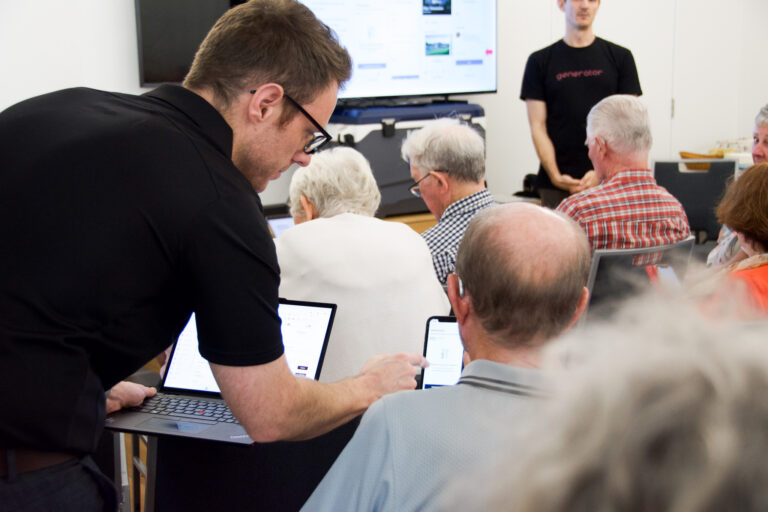
A useful test is the first conversation. A good partner will show you what their platform can do, and will also take the time to ask about your communities, your residents and what you want to achieve, so the conversation is about finding the right fit as well as the features.
3. Take stock of your community
Before the rollout is locked in, take stock of what your community already has and what it needs. If you operate several communities, do this for each one, as no two are identical.
- Existing systems for resident communication, bookings, maintenance and parcels.
- How residents get information today: noticeboards, newsletters, email, phone calls or an existing app.
- Wi-Fi and mobile coverage across residences, common areas and clubhouses.
An audit often uncovers the issues that would otherwise surface on launch day, when they are most expensive to fix.
4. Define what success looks like
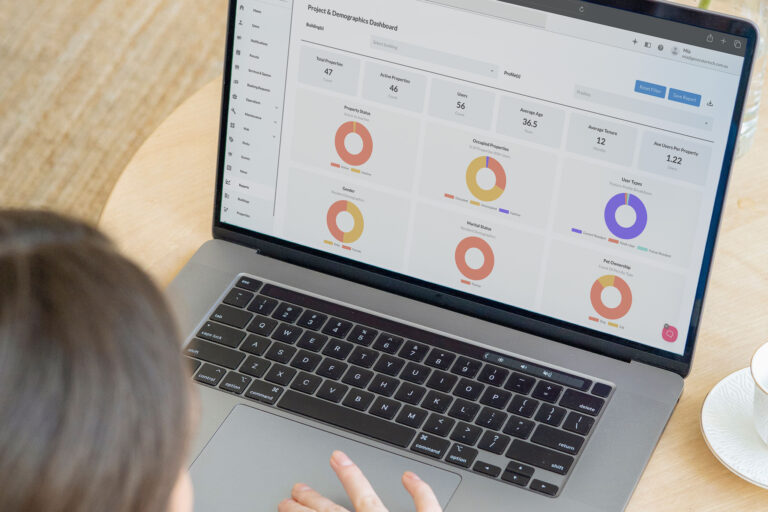
Agree up front how you will know the rollout has worked. Without this, “done” tends to mean “installed” rather than “delivering value”.
Good measures are specific and easy to check:
- The share of residents using the app
- Higher resident satisfaction scores
- Maintenance requests resolved faster
- More bookings and event RSVPs
- Hours saved for on-site staff
- Fewer phone calls and emails to the community office.
When your technology partner knows what success looks like to you, you can work towards it together.
5. Start with a pilot
If you operate several communities, launch at one, or a small group, first. Choose one that is representative of your portfolio, with an engaged manager and residents who are willing to give honest feedback.
If you operate a single community, the same idea works on a smaller scale. Start with a core set of features, or a group of keen residents, before opening it up to everyone.
The pilot is where you find out what the plan missed: a setting that suits head office but not the community office, a feature residents ask for that was not switched on, or an onboarding step that takes longer than expected. Fix those before moving on, and everything that follows benefits. A well-run pilot also builds the confidence to speed up the wider rollout.
6. Time the rollout around community life
Plan the order and timing of each launch around the rhythm of resident life. That might mean avoiding the start of semester in student accommodation, or major events and holiday periods in retirement, seniors and land lease villages.
If you are launching across several communities, build in a short gap between each so lessons from one can be applied to the next. Keep existing communication channels running until residents are comfortable with the new one. A rollout that takes extra time is far better than one that leaves residents confused.
7. Communicate early and train well
Residents and staff adopt new technology faster when they understand why it is changing and what is in it for them. Let each community know what is coming, when, and how it will make day-to-day life easier, well before launch.
Training should be practical and tailored to each audience.
On-site staff may need confidence with the tasks they will do every day, such as posting announcements, managing bookings and responding to maintenance requests.
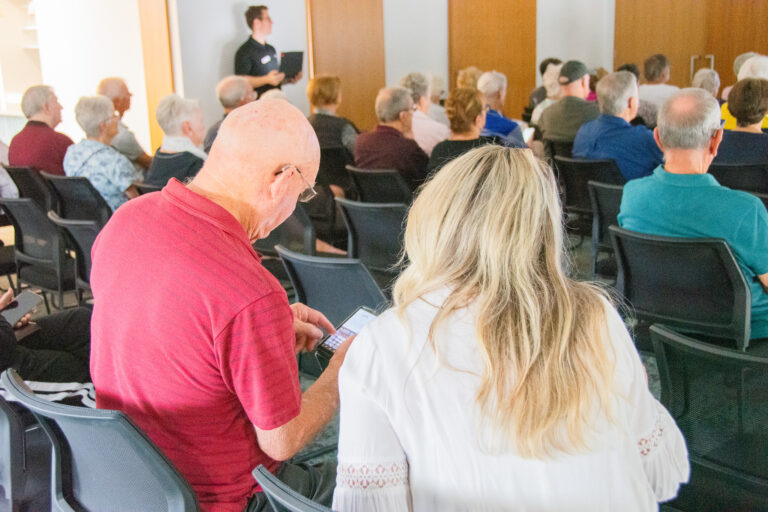
Residents may need anything from a quick download guide to a hands-on session in the clubhouse, particularly in seniors and retirement communities.
Identify a champion in each community, whether a staff member or an enthusiastic resident, who can help others once the launch is over.

8. Support, review and improve
Launch day is not the finish line. Make sure there is a clear support path, then review the rollout against the success measures you set in step 4. Gather feedback from each community’s team and residents, note what you would do differently, and keep that record for the next community. Each rollout should be easier than the last.
Bringing it together
Whether you operate one community or many, a successful rollout comes down to clear decisions made early. Know how involved you want to be, choose a partner who understands your business, and plan each step around the way your communities and residents actually live.
At Generator, we work with operators of every size, from a single community to large portfolios, across build to rent, retirement living, student accommodation, seniors living and land lease communities. We roll out our resident app and operations platform at whatever level of involvement suits you, from hands-on collaboration to a fully supported launch. If you are planning new technology for one community or many, get in touch and we will start by learning how your community works.

Join the Revolution: Embrace Our Resident App Today!
Ready to experience a revolution in residential living? Reach out now and embrace the future of living and become part of a vibrant, empowered movement redefining the way we live.